;
Candela Technologies Logo
Network Testing and Emulation Solutions

Configure Auxiliary Management Interfaces

Goal: Allow LANforge to create its own wireless management network.

In cases where is is not convenient to use an existing management network, LANforge WiFi systems can be configured to provide their own WiFi management network. This may be especially useful when testing in environments where LANforge needs to be moved around or where you have no good access to existing management LANs. This example assumes that you already know how to create and configure VAP and Stations in LANforge.
 
  1. Configure LANforge for Auxiliary Management.
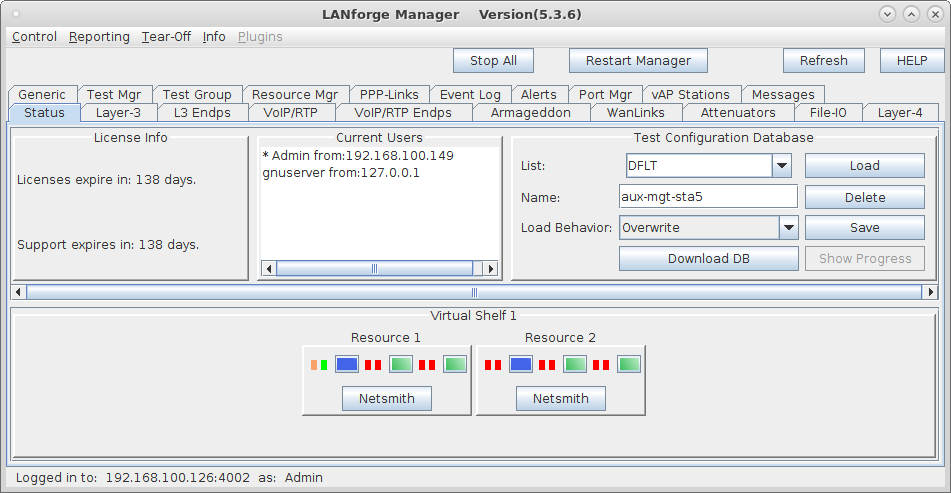
    1. Connect LANforge systems through the normal management LAN for initial configuration. The resources should be visible in the management tab screenshot
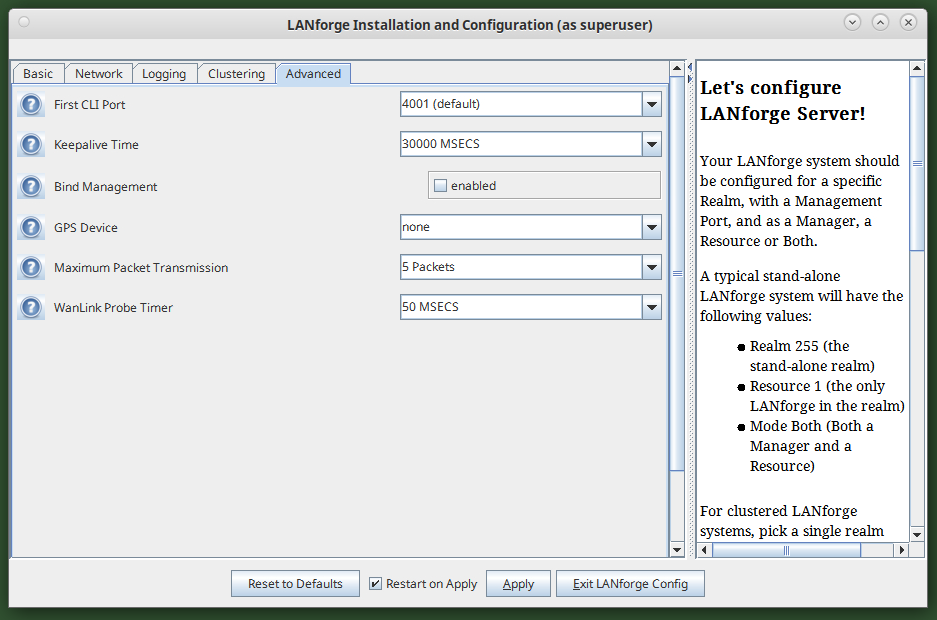
    2. bind_mgt: If bind_mgt is enabled in lf_config, LANforge will only listen on the management device's IP for management traffic. If disabled, it will instead listen on all IPs on the local machine. Enabling this option can help make LANforge more secure, but may also make it harder to access. To enable bind_mgt, run /home/lanforge/lfconfig.bash. After a moment, the LANforge config menu will appear. Navigate to the Advanced tab, select the checkbox next to bind_mgt then hit 'apply'.

      Note: Auxiliary Management setups may benefit in general from using bind_mgt.

      Note: If you enable the bind_mgt option and are in mode 'both' and not using 'lo' for management device, then you will need to explicitly add a resource addr for [ip-of-mgt-port]:4004 so that the manager can communicate with the client process. screenshot
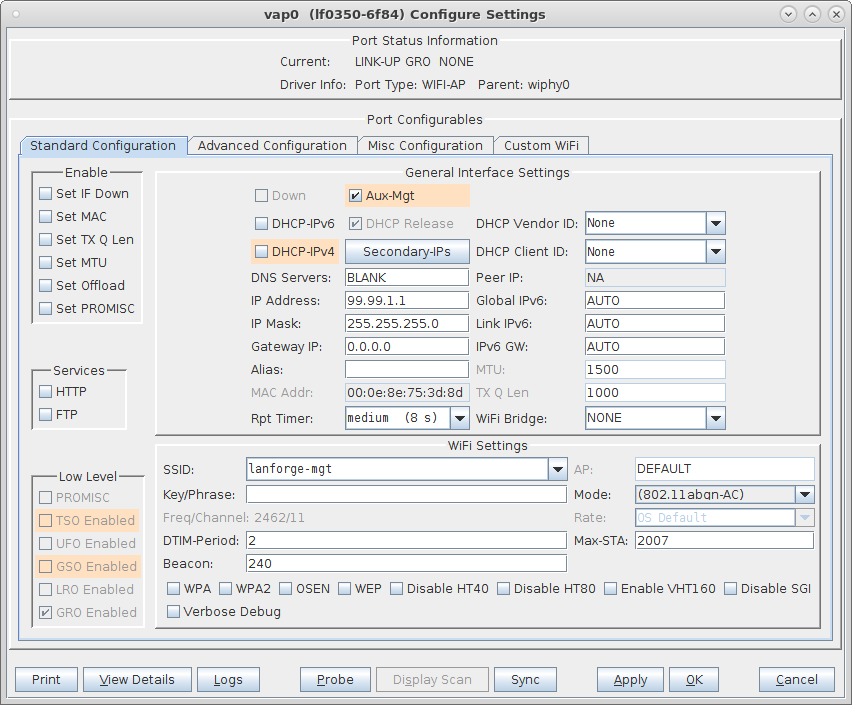
    3. In this case, we are using wiphy0 for the Aux-Mgt interfaces. On the manager system, configure wiphy0 to be on the desired channel, create a virtual AP on wiphy0, and configure it appropriately. The Aux-Mgt checkbox should be selected, a static IP should be assigned, and an appropriate SSID configured. The AP Aux-Mgt port will automatically serve DHCP and will try to NAT and route packets to the wired Management interface. screenshot
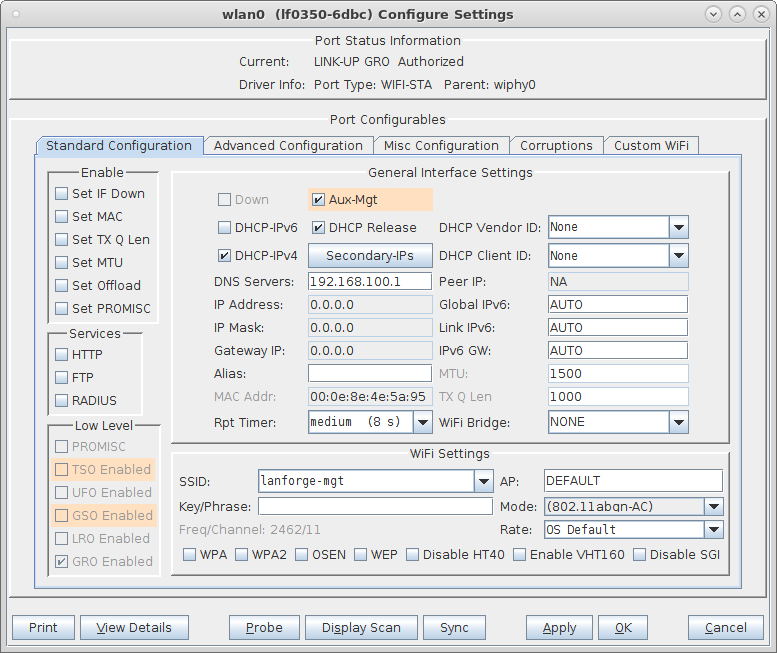
    4. On the other resources, configure the wlanX interface to connect to the AP on the manager system, and select the Aux-Mgt checkbox. screenshot
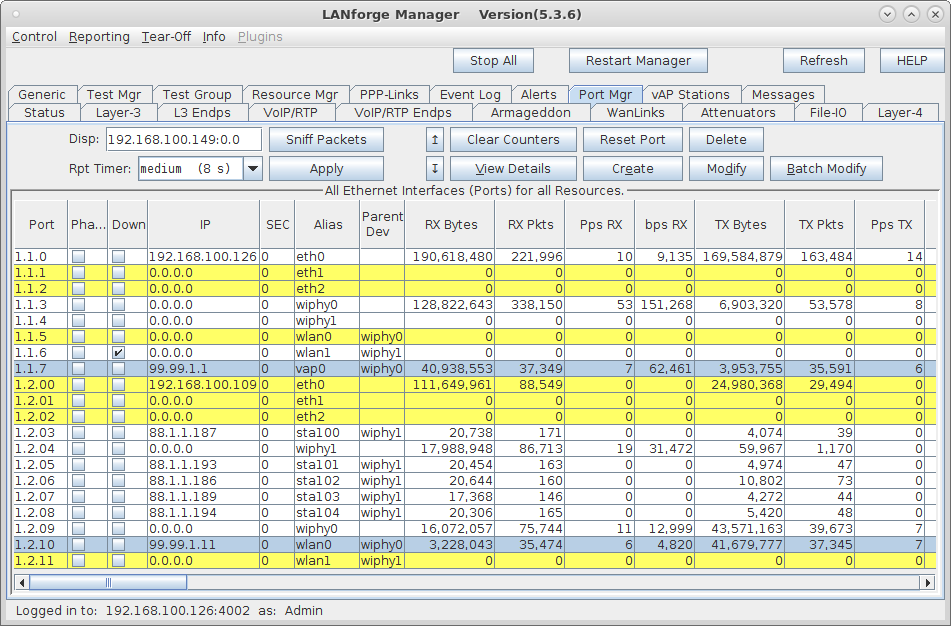
    5. The Port-Mgr tab should look something like this when the Aux-Management interfaces are configured. screenshot
    6. To test that it works properly, you can now remove the wired Manament port connection and wait about 1 minute for the old connection to time out and re-connect to the Auxiliary Management port. Or, just reboot systems with the wired ports unplugged and they should be discovered on the Aux-Mgt ports promptly.

Candela  Technologies, 2417 Main Street, Suite 201, Ferndale, WA 98248, USA
www.candelatech.com | sales@candelatech.com | +1.360.380.1618
Facebook | LinkedIn | Blog